Your team has outgrown ad-hoc file sharing. Email attachments are bouncing, partners are complaining, and somebody has put "evaluate a managed file transfer vendor" on your plate. You are not an engineer. The vendor websites read like alphabet soup. Three demos in, you cannot tell which option is actually the right fit, only that all three salespeople were charming and all three slide decks looked similar.
This guide is for that situation. It walks through what managed file transfer is in plain language, who needs to be involved in the decision, the questions that separate serious vendors from glossy ones, and the pricing patterns that look cheap until they aren't.
What "managed file transfer" actually means
A managed file transfer (MFT) platform is the supervised version of moving files between systems and partners. Underneath, it usually uses the same protocols your IT team already knows (SFTP, FTPS, HTTPS), but it wraps them in things a business actually needs: who has access, what they did, where the file went, whether it arrived, and whether the right person was notified.
If your current setup is "we email a spreadsheet" or "the partner logs into an old FTP server set up in 2014", you are doing file transfer, just without the "managed" part. The difference shows up the first time a partner cannot find a file, a compliance auditor asks who downloaded what, or a former employee's credentials turn out to still work.
See what is MFT for a fuller plain-language explainer.
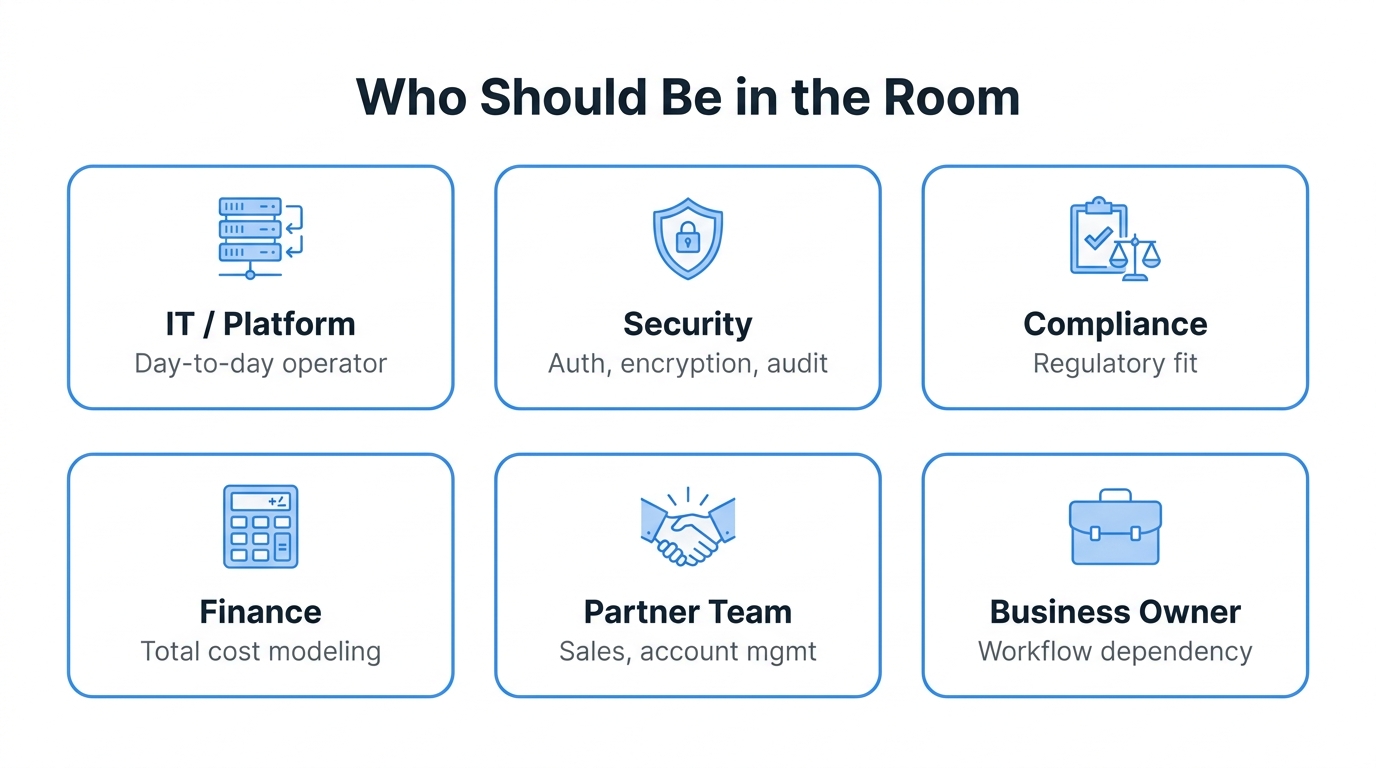
Who needs to be in the room
This is the part most evaluations get wrong. MFT touches more functions than it looks like, and a deal that satisfies only IT often falls apart in month three when finance, compliance, or the partner-facing team raises an objection that never got asked.
The minimum roster:
- IT or platform owner - the person who will operate the thing day to day
- Security - to vet authentication, encryption, and audit posture
- Compliance or legal - especially if you handle regulated data (health, financial, personal)
- Finance - to model the pricing properly, not just the headline number
- The partner-facing team - sales, account management, or operations, because partners feel changes here directly
- The line-of-business owner - whoever's workflow depends on files arriving on time
You do not need every stakeholder in every demo. You do need their input on the requirements list before demos start, and their sign-off before you commit.
Must-have capabilities
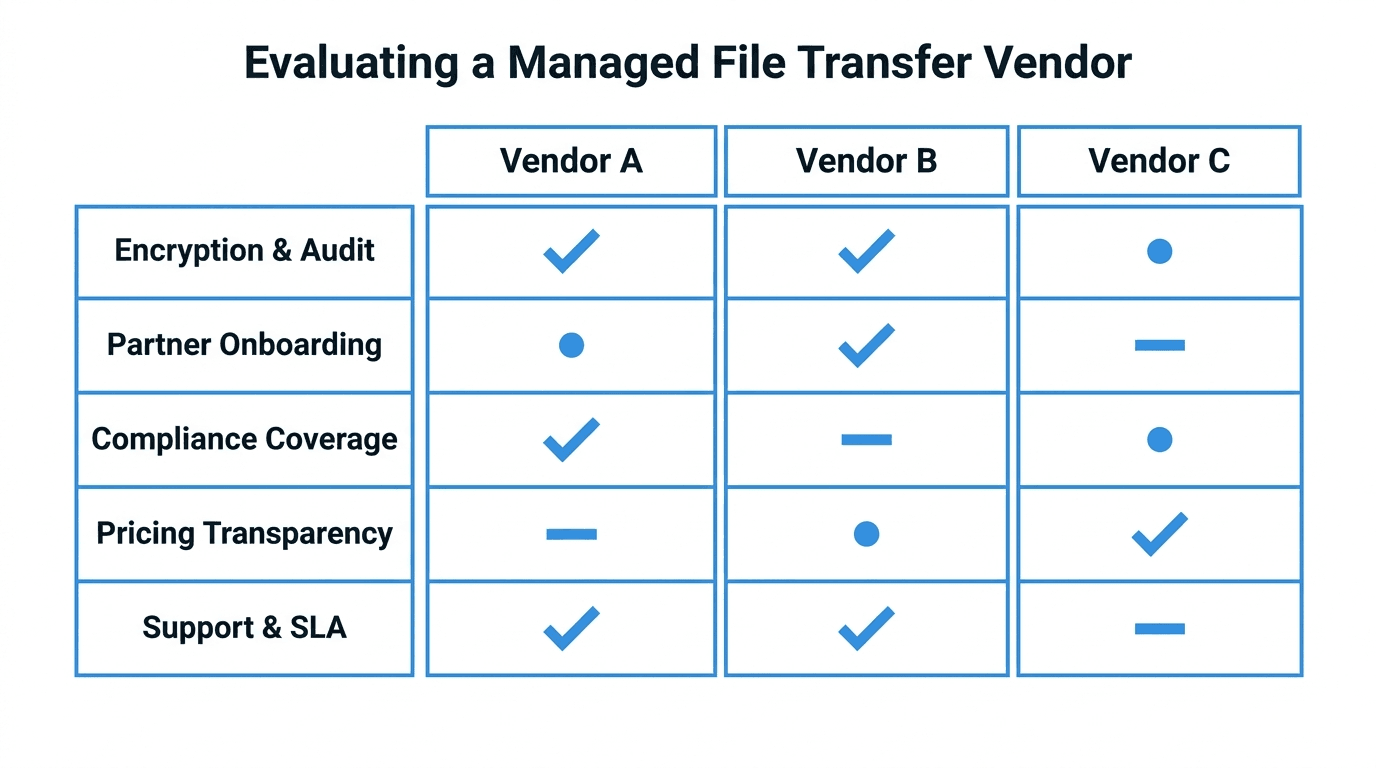
For almost any business, the following should be table stakes. If a vendor cannot show all of them in a demo, move on.
- Encrypted transfer over modern protocols. SFTP, FTPS, or HTTPS, not legacy FTP. This is non-negotiable.
- Per-user accounts with audit logs. You need to be able to answer "who did what, when, from where" months later. Shared accounts make this impossible.
- Partner onboarding that does not require IT for every change. Adding a new partner should not be a ticket that takes two weeks.
- Access controls that match real-world relationships. Different partners get different folders, with no way to see each other's files.
- Encryption of files at rest, not just in transit.
- A clear story for compliance if you operate in a regulated industry. See compliance requirements for MFT.
- Reliable support with documented response times.
Nice-to-have capabilities
These matter for some businesses and not others. Be honest about which apply to you before letting vendors steer you toward features you will never use.
- Workflow automation - the system can decrypt, rename, route, or convert files automatically when they arrive. Valuable if you have repeat patterns, overkill if everything is one-off.
- PGP encryption - file-level encryption on top of transport encryption. Required if partners (especially banks) demand it.
- Bring-your-own-storage - files live in your own cloud bucket, not the vendor's. Useful for data residency and certain compliance regimes.
- Multi-region deployment - for global operations or strict regional data laws.
- API access - useful if your engineers want to wire the system into broader pipelines.
- Self-service partner portals - lets partners reset their own keys and view their own transfer history.
A common failure mode is letting a slick demo of a nice-to-have convince you it is a must-have. Write your must-have list before the first demo, and protect it.
Questions to ask every vendor
Bring this short list to each demo. The way a vendor answers tells you more than the answers themselves.
- How is data encrypted in transit and at rest?
- Where is our data stored, and can we choose the region?
- How long are audit logs retained, and can we export them?
- How is a new partner onboarded? Walk us through the steps and the time involved.
- What is your uptime SLA, and what happens when you miss it?
- What does support look like? Hours, channels, response times, escalation.
- How are users and partners offboarded? What is left behind?
- What does your roadmap look like for the next 12 months?
- How do we get our data out if we leave?
A confident vendor answers each of these in a sentence or two. A vendor who needs to "get back to you" on basic compliance, retention, or exit questions is telling you something important.
Pricing models and the traps inside them
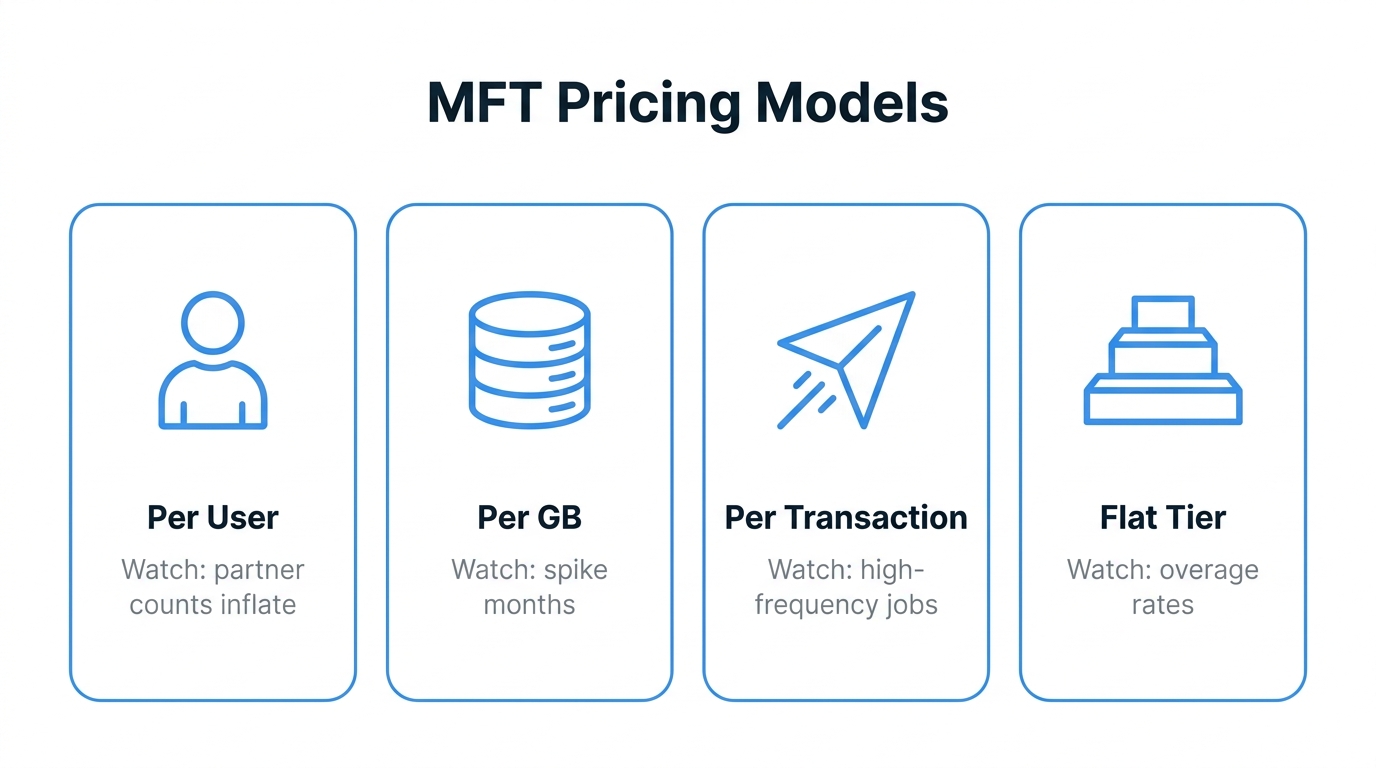
MFT pricing comes in four common shapes. Each one looks cheap in some scenarios and expensive in others.
- Per-user pricing. Predictable if your user count is stable. Painful if your partner count grows, because every partner usually counts as a user.
- Per-GB pricing. Looks clean for small volumes. Surprises you when one bad month of partner uploads doubles the bill.
- Per-transaction pricing. Charges per file or per connection. Tempting for low-volume workflows but a landmine for automation that runs every five minutes.
- Flat tier pricing. A fixed price for a defined envelope (users, storage, bandwidth). Easy to model. Watch the overage rates outside the envelope, which is where some vendors make their margin.
Two specific things to confirm in writing, regardless of model:
- What counts as a "user"? Internal employees only, or every partner account too? The answer changes your bill dramatically.
- What are the overage rates? A flat tier with punitive overages is not actually flat.
Model your expected usage against each pricing shape before you commit. Most vendors will share a pricing calculator if you ask.
Red flags during demos
A few patterns to watch for. Any one of these on its own is not disqualifying, but they tend to cluster in vendors who will frustrate you later.
- Vague compliance answers. "We are SOC 2 compliant" without being able to share a current report or a clear scope statement.
- Demo environments that are obviously hand-tuned. Ask to see partner onboarding from scratch, live. If it takes 20 minutes in a demo, it takes 20 minutes in production.
- "We can build that for you." Custom development from a vendor is rarely a feature; it is a future support liability.
- Pricing that requires a sales call to discuss. Sometimes legitimate at the enterprise tier, but worth pushing back on for standard plans.
- No clear answer for data export. A vendor who has not thought about how customers leave has not thought about your long-term interests.
- Reluctance to provide reference customers. Especially in your industry or at your size.
What a healthy evaluation looks like
A reasonable timeline for a serious MFT evaluation is six to ten weeks, longer if regulated industry signoff is required. A healthy process usually includes:
- Requirements workshop with the stakeholders listed above, producing a written must-have and nice-to-have list.
- Initial vendor research and shortlisting to three to five options based on public information.
- Demos focused on your real workflows, not the vendor's generic script.
- A short proof of concept with one or two finalists using real (or representative) data and a real partner connection.
- Pricing exercise modeled against expected 12-month usage.
- Compliance and security review with the relevant internal teams.
- Decision and contract, with the exit terms reviewed as carefully as the onboarding terms.
If you find yourself being rushed past any of these stages, slow the process down. MFT is sticky once you have onboarded partners onto it, and the cost of switching later is real.
Common pitfalls
- Letting IT pick alone. IT will optimize for what they have to operate. Business stakeholders need a voice or the chosen tool will quietly fail the partner-facing teams.
- Skipping the proof of concept. Demos sell the dream; a POC reveals the workflow.
- Underestimating partner-side change. Even a perfect vendor switch still requires every partner to update their credentials and endpoints.
- Choosing on price alone. The cheapest option is rarely the cheapest after the first migration, support escalation, or compliance gap.
- Forgetting the exit. Treat "how do we leave" as a first-class requirement, not a footnote.
How FilePulse fits
FilePulse is one option in this market. It is built around the kinds of capabilities most non-technical buyers say they need: per-partner isolation, audit logging, clear pricing, fast partner onboarding, and a clean way to bring your own cloud storage if data residency matters. Whether it is the right fit depends on the same evaluation work described above, and a good vendor is happy to be evaluated against the questions in this guide rather than around them.
For a more capability-by-capability framing, see which MFT tool is right for you. For the broader context on why this matters, the hidden cost of legacy FTP covers what businesses tend to lose by waiting.
Next step: Write your must-have list before scheduling any vendor demos, and bring the questions from this guide to each one. Start a free FilePulse trial if you want a hands-on benchmark to compare other vendors against.