
Cloud Storage Gateway
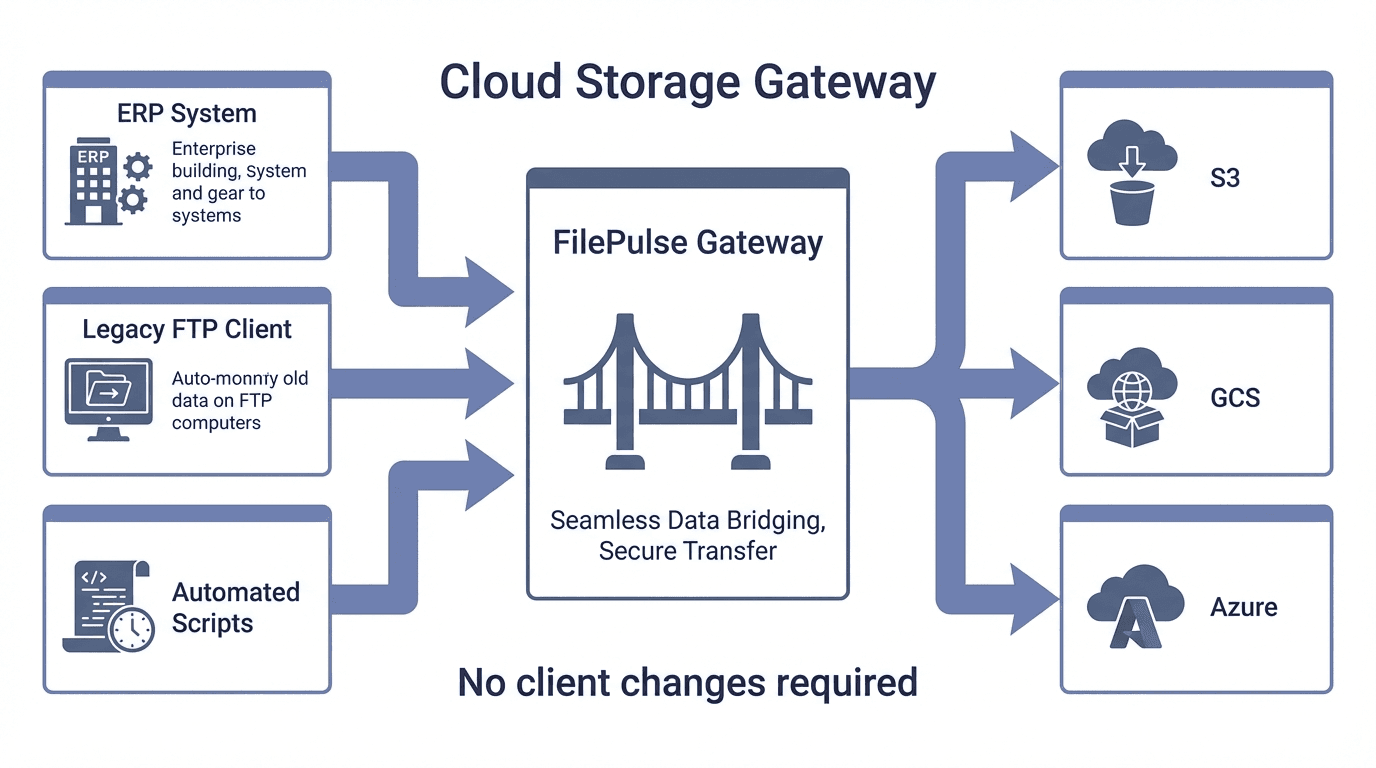
Your legacy systems need FTP and SFTP, but your data lives in the cloud. FilePulse bridges the gap transparently so nothing has to change on the client side.
The problem
Legacy systems cannot talk to cloud storage
Many business-critical systems, partner integrations, and automated workflows rely on FTP or SFTP for file exchange. Migrating to cloud storage breaks these integrations. Building custom middleware is expensive and fragile. You need a bridge, not a rewrite.
The solution
FilePulse bridges protocols to cloud backends
FilePulse acts as a protocol gateway that translates FTP and SFTP requests into cloud storage API calls. Existing clients connect the same way they always have. Files flow directly to and from your cloud storage without intermediate staging.
- Transparent FTP/SFTP to S3, GCS, and Azure translation
- No client-side changes or software updates required
- Virtual filesystem maps directories to cloud storage paths
- Real-time streaming with no intermediate file staging
- Built-in monitoring, logging, and alerting
- Supports multiple cloud backends simultaneously
- Detailed audit logging and per-user access controls
How it works
Connect legacy systems to the cloud
Point clients at FilePulse
Update the hostname in your FTP or SFTP client configuration to point at your FilePulse server. No other client changes needed.
Map directories to cloud storage
Use the virtual filesystem to map SFTP paths to S3 buckets, GCS buckets, or Azure containers. Each directory can point to a different backend.
Transfer as usual
Clients upload and download files using the same protocol they always have. FilePulse handles the translation to cloud storage APIs in real time.
Drop-in replacement
Point your existing FTP or SFTP clients at FilePulse. Same protocol, same workflow, but data now flows to cloud storage.
Multi-cloud routing
Map different directories to different cloud providers. Route data to S3, GCS, or Azure based on path, all from a single endpoint.
No data staging
Files stream directly between clients and cloud storage. No temporary copies, no sync delays, no extra storage costs.
Preserve existing workflows
Automated scripts, cron jobs, and partner integrations keep working without modification. FilePulse is invisible to the client.
Centralized visibility
Monitor all file transfers through the web dashboard. See who is transferring what, track throughput, and detect issues early.
Enterprise security
SSH key authentication, IP allowlists, and per-user access controls protect your cloud storage behind a secure protocol layer.
Ready to get started?
Start a free trial and deploy your first SFTP server in minutes. No credit card required, no infrastructure to set up.