A supplier sends a price list over SFTP every night. One morning, half your catalog shows prices of zero because they switched their export to semicolons and your ERP read every row as a single column. Nobody noticed until a customer did. The fix is not a better ERP connector. It is learning to validate CSV files before ERP import, so a broken file is stopped at the door instead of being discovered in the ledger.
This tutorial covers what actually goes wrong with partner CSV files, the layers of validation that catch each problem, a runnable Python validator, and how to route failures so they get fixed instead of ignored.
Why CSV files break ERP imports
CSV looks like a standard. It mostly is not. RFC 4180 describes a common format, but partners export from Excel, legacy systems and hand-written scripts, and each one makes its own choices. The failures you will see fall into a few buckets:
- Encoding - A file saved as Windows-1252 instead of UTF-8 turns "Müller" into "Müller". A UTF-8 byte order mark (BOM) silently renames your first column from
skutosku. - Structure - Wrong delimiter, missing header row, columns reordered, an extra trailing column, or a quoted field with an embedded newline that splits one record into two.
- Types - Decimal commas (
12,50) in a numeric field, dates as03/04/2026(March or April?), leading zeros stripped from article numbers by Excel. - Business rules - Negative quantities, unknown SKUs, duplicate order lines, a currency your ERP does not support.
- Completeness - A truncated upload, an empty file, or yesterday's file sent twice.
Most ERP import tools handle these badly. Some reject the whole file with an unhelpful error. Worse, some import every row they can parse and skip the rest, which leaves you with a partial load that is harder to clean up than a failed one.
Where validation should happen
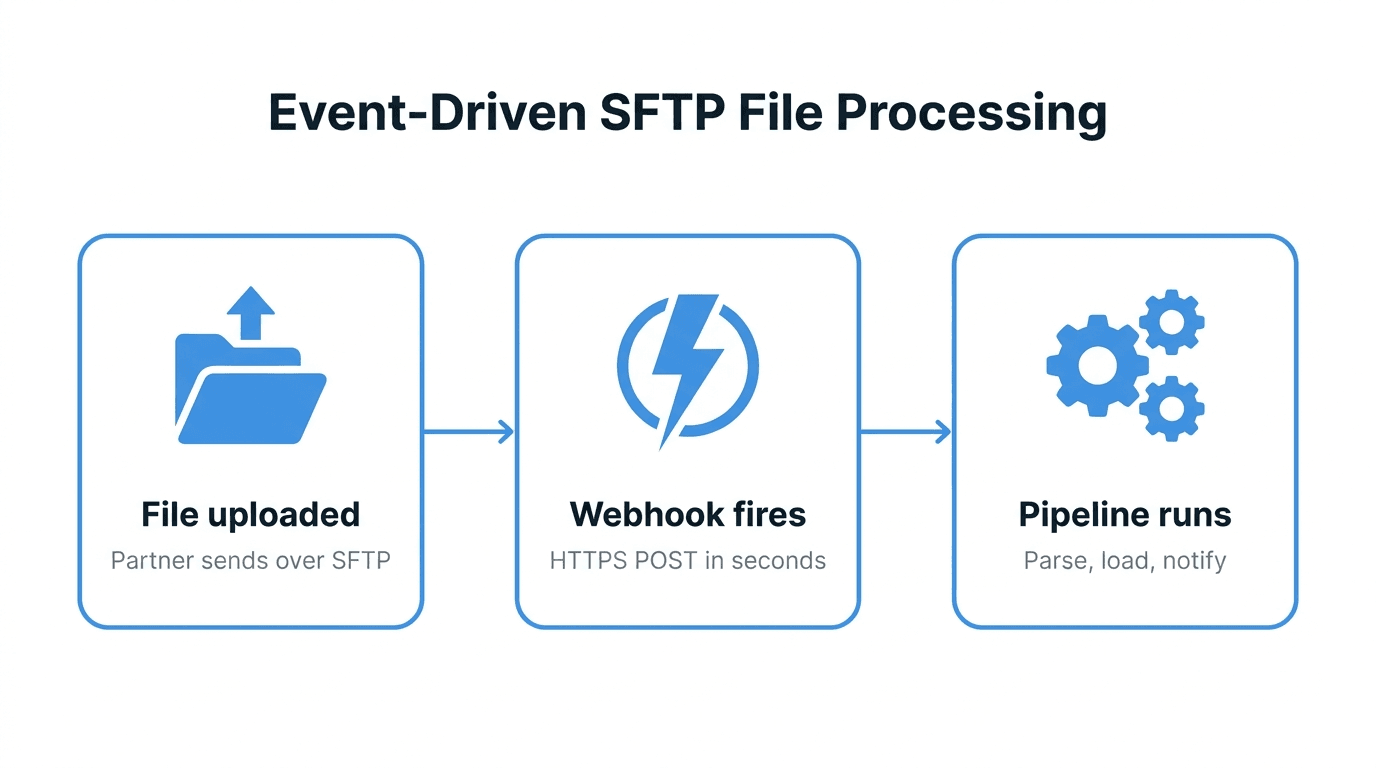
The cheapest place to catch a bad file is between arrival and import. By then the file is complete and on your side, but nothing downstream has touched it yet. That gives you a clear contract:
- A file lands in an inbound folder.
- A validator runs against it.
- Valid files move to the ERP pickup folder.
- Invalid files move to a quarantine folder, and someone gets told why.
Validating inside the ERP is too late, and asking every partner to validate their own exports is wishful thinking. If you are still detecting new files with a scheduled directory listing, the event-driven file processing guide explains why triggering on upload completion avoids validating half-written files.
The four layers of CSV validation
Run checks in order from cheapest to most expensive, and stop at the first layer that fails. There is no point type-checking rows in a file that has the wrong header.
Layer 1: File-level checks
These run before you parse a single row:
- Name pattern -
prices_YYYYMMDD.csvand notprices (1).csvorprices.xlsx. - Size bounds - Reject zero-byte files and anything far larger than normal. A price list that is usually 2 MB arriving at 40 KB is probably truncated.
- Encoding - Decode the whole file as UTF-8 and fail on the first invalid byte. Strip or reject a BOM explicitly rather than by accident.
- Duplicate detection - Compute a SHA-256 checksum and compare it against recently processed files. The same bytes twice usually means a partner retried an upload.
Layer 2: Structure
- Delimiter - Do not auto-detect it in production. Agree on one with the partner and enforce it.
- Header - Compare the header row to the expected column list, exactly. Decide up front whether extra columns are an error or ignored.
- Column count per row - Every row must have the same number of fields as the header. A mismatch almost always means an unescaped delimiter or quote.
Layer 3: Field types and formats
For each column, define a type and a format: integer, decimal with a dot separator, ISO 8601 date, string up to N characters, value from a fixed list. Treat identifiers like SKUs and postal codes as strings, always. The moment you parse 00451 as a number you have lost data.
Layer 4: Business rules
These need context beyond the row itself:
- Quantities greater than zero, prices within a sane range.
- SKUs that exist in the item master.
- No duplicate keys within the file (the same order line twice).
- Totals that match a control row or a trailer record, if the partner provides one.
Business rules change more often than formats, so keep them in configuration or a small lookup, not hard-coded in the parser.
A runnable validator in Python
The script below implements layers 1 to 3 plus a duplicate-key check, using only the standard library. It exits non-zero on failure and prints every error with a line number, which is what a partner needs to fix their export.
#!/usr/bin/env python3
import csv, hashlib, io, re, sys
from datetime import date
from decimal import Decimal, InvalidOperation

EXPECTED = ["sku", "description", "price", "currency", "valid_from"]
NAME_RE = re.compile(r"^prices_\d{8}\.csv$")
MAX_ERRORS = 50

def check_row(row, line):
    errs = []
    if not re.fullmatch(r"[A-Z0-9-]{3,20}", row["sku"]):
        errs.append(f"line {line}: bad sku {row['sku']!r}")
    try:
        if Decimal(row["price"]) <= 0:
            errs.append(f"line {line}: price must be positive")
    except InvalidOperation:
        errs.append(f"line {line}: price {row['price']!r} is not a decimal")
    if row["currency"] not in {"EUR", "USD", "GBP"}:
        errs.append(f"line {line}: unsupported currency {row['currency']!r}")
    try:
        date.fromisoformat(row["valid_from"])
    except ValueError:
        errs.append(f"line {line}: valid_from must be YYYY-MM-DD")
    return errs

def validate(path):
    name = path.rsplit("/", 1)[-1]
    if not NAME_RE.match(name):
        return [f"file name {name!r} does not match prices_YYYYMMDD.csv"]

    raw = open(path, "rb").read()
    if not raw:
        return ["file is empty"]
    if raw.startswith(b"\xef\xbb\xbf"):
        return ["file starts with a UTF-8 BOM; export without BOM"]
    try:
        text = raw.decode("utf-8")
    except UnicodeDecodeError as e:
        return [f"not valid UTF-8 at byte {e.start}"]
    print(f"sha256 {hashlib.sha256(raw).hexdigest()}", file=sys.stderr)

    reader = csv.reader(io.StringIO(text, newline=""), delimiter=",", strict=True)
    header = next(reader)
    if header != EXPECTED:
        return [f"header {header} does not match {EXPECTED}"]

    errors, seen = [], set()
    for fields in reader:
        line = reader.line_num
        if len(fields) != len(EXPECTED):
            errors.append(f"line {line}: expected {len(EXPECTED)} fields, got {len(fields)}")
            continue
        row = dict(zip(EXPECTED, fields))
        errors += check_row(row, line)
        key = (row["sku"], row["valid_from"])
        if key in seen:
            errors.append(f"line {line}: duplicate sku/valid_from {key}")
        seen.add(key)
        if len(errors) >= MAX_ERRORS:
            errors.append("too many errors, stopping")
            break
    return errors

if __name__ == "__main__":
    errs = validate(sys.argv[1])
    for e in errs:
        print(e)
    sys.exit(1 if errs else 0)
Run it against a file and wire the exit code into whatever moves the file next:
if python3 validate_prices.py inbound/prices_20261116.csv > report.txt; then
  mv inbound/prices_20261116.csv erp-pickup/
else
  mv inbound/prices_20261116.csv quarantine/
  mv report.txt quarantine/prices_20261116.csv.errors.txt
fi
A few design choices worth copying:
- All-or-nothing - The file either passes completely or goes to quarantine. Never import the good rows and drop the bad ones unless the ERP side is explicitly designed for partial loads.
- Collect errors, then stop - Reporting the first 50 errors is far more useful than reporting one, and far more readable than reporting 40,000.
- Line numbers match the file -
reader.line_numcounts physical lines, so a quoted field with an embedded newline does not throw the numbering off. Partners open the CSV in an editor, andline 1834is something they can find.
For JSON or XML feeds, the same layering applies, but layers 2 and 3 collapse into a schema check (JSON Schema or XSD) instead of hand-written column rules.
Handling failures: quarantine and replay
Validation only helps if failures get resolved. A quarantine folder that nobody looks at is just a slower way of losing data. Make the failure path as deliberate as the success path:
- Notify the right person - Usually the partner contact plus whoever owns the integration. Include the file name and the error report, not just "import failed".
- Keep the original bytes - Never edit a quarantined file in place. If someone fixes it by hand, save the fix as a new version so you can show what changed.
- Make replay a single action - Once the partner resends or the file is corrected, it should go through the same validator again, not around it.
- Track the pattern - If the same partner fails the same check every week, that is an onboarding problem, not a data problem. The partner onboarding guide covers agreeing on file specs before go-live.
Common pitfalls
- Opening the file in Excel to "check" it - Excel reformats dates, strips leading zeros and may re-save with a different encoding. Inspect with a text editor or
head. - Auto-detecting the delimiter -
csv.Snifferguesses. It will guess wrong on a file where the description column happens to contain more semicolons than commas. - Validating before the upload finishes - A polling job that picks up a file mid-transfer will report a truncated file as invalid, or worse, as valid.
- Float types for money - Use
Decimalor integer cents.0.1 + 0.2is not0.3in floating point. - Silently trimming whitespace - Decide whether
" SKU-1 "is valid. Trimming may be fine, but do it on purpose and document it. - No upper bound on errors - A file with the wrong delimiter fails every row. Cap the report.
How FilePulse fits
FilePulse workflows can run this pipeline without a separate server. A workflow triggers when a file arrives over SFTP, FTPS or the API, then validates size, name, file type and checksum, and checks CSV files, JSON Schema or XML Schema. Files that pass can be routed by condition and copied, moved or renamed, with each step verified by SHA-256. Files that fail land in a quarantine inbox where they can be inspected and replayed, with versions kept, and a webhook or email notification tells the right person. Business rules that need your item master still belong in your own code, which you can call from a signed webhook. For the bigger picture of where this sits in a data pipeline, see the role of SFTP and MFT in ELT pipelines.
Next step: Start a 14-day free trial and set up a validation workflow on your first inbound folder.