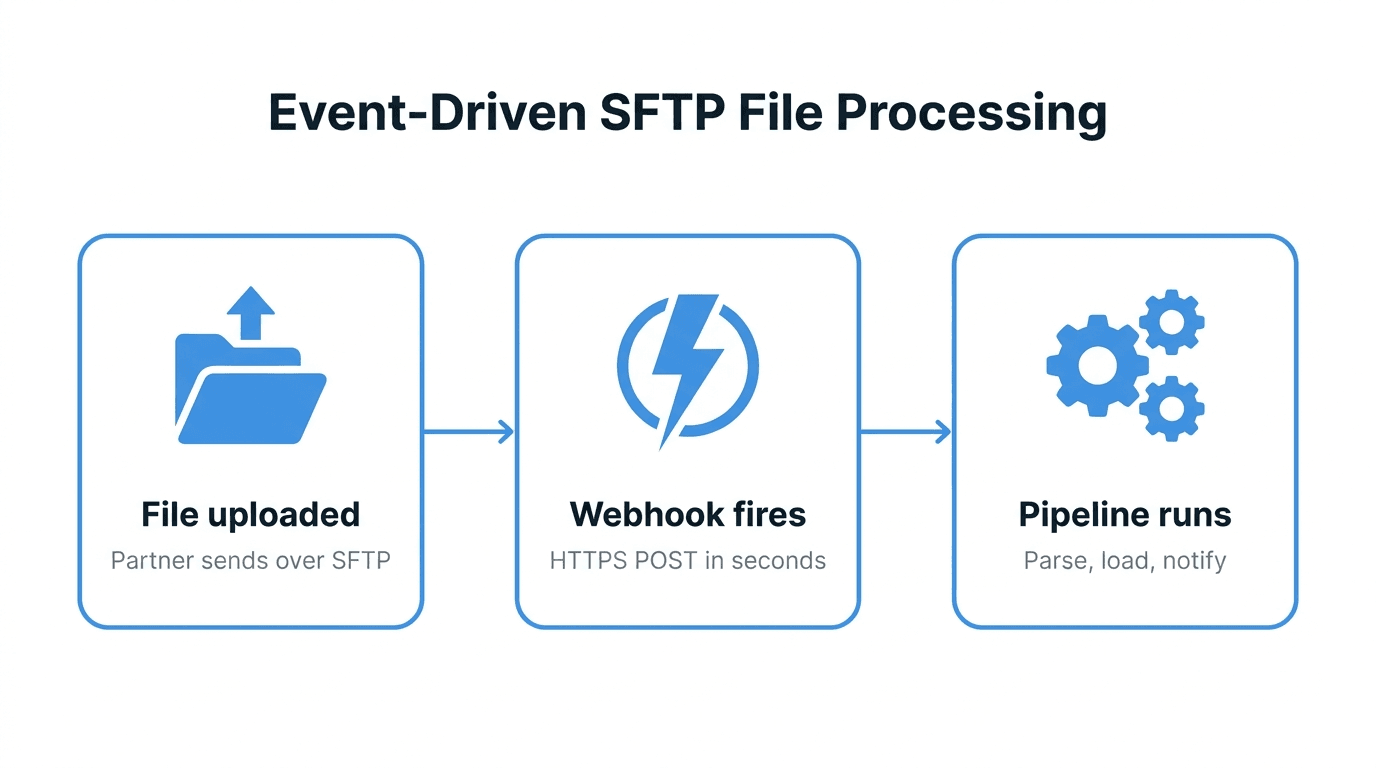

Your SFTP server sends a file.uploaded webhook, and your endpoint kicks off an import into the ERP. Now ask the uncomfortable question: what stops someone who finds that URL from posting a fake event that points your pipeline at the wrong file, or replaying last Tuesday's event a hundred times? The answer is to verify webhook signatures on every request, and to do it correctly, because a check that is almost right is barely better than none.
This tutorial walks through how webhook signing works under the Standard Webhooks specification, how to verify a signature by hand in Python and Node.js, how to handle timestamps, retries and secret rotation, and the mistakes that quietly turn the check off.
Why file transfer webhooks need signatures
A webhook endpoint is a public URL that triggers real work. For file transfer events, that work is usually moving data: downloading a file, loading it into a warehouse, posting it to an ERP, or notifying a partner. If you followed the pattern in event-driven SFTP file processing, your receiver does exactly this.
Without verification, the threat model is short and unpleasant:
- Forged events - Anyone who learns the URL (from a log, a proxy, a screenshot or a former contractor) can post a JSON body that looks like a real event.
- Replay - An attacker who captures one genuine request can resend it later. The body is valid, so a naive check passes.
- Tampering - A request modified in transit or by a misbehaving proxy carries a different path, size or checksum than the sender intended.
- Confused routing - In multi-tenant setups, an event meant for one environment lands on another, and a staging secret accepts a production event.
HTTPS protects the connection, but it does not tell you who opened it. A signature does. It proves the sender holds a shared secret, and that the exact bytes you received are the bytes they signed.
How Standard Webhooks signing works
Standard Webhooks is an open specification that many providers now follow, so one verification routine works across services. Every request carries three headers:
webhook-id- A unique identifier for the message. It stays the same across retries of the same event, which makes it your idempotency key.webhook-timestamp- The send time as Unix seconds.webhook-signature- One or more signatures, space separated, each in the formv1,<base64>.
The sender builds a signed payload by joining the three values with dots:
{webhook-id}.{webhook-timestamp}.{raw request body}
It then computes an HMAC-SHA256 of that string using the shared secret and base64-encodes the result. Secrets in this scheme are usually shown with a whsec_ prefix followed by base64. The prefix is a label: strip it and base64-decode the rest to get the actual key bytes.
Including the id and timestamp in the signed content is the important design choice. An attacker cannot take a valid body and attach a fresh timestamp, because the signature covers the timestamp too.
The specification also defines an asymmetric variant (v1a, using Ed25519) where the receiver only holds a public key. The steps below cover the symmetric v1 scheme, which is the common case.
Verify webhook signatures step by step
The verification order matters. Cheap checks first, cryptography second, side effects last:
- Read the raw body before any JSON parsing. The signature covers bytes, not a parsed object.
- Check the timestamp is within a tolerance of your clock, typically five minutes in either direction. Reject anything outside it.
- Rebuild the signed content as
id.timestamp.body. - Compute the expected HMAC-SHA256 with the decoded secret and base64-encode it.
- Compare against every
v1signature in the header using a constant-time comparison. Accept if any one matches. - Deduplicate on
webhook-idbefore doing any work, so retries do not trigger a second import. - Respond 2xx quickly and hand the event to a queue.
Python example
This receiver uses Flask and only the standard library for the crypto:
import base64
import hashlib
import hmac
import os
import time

from flask import Flask, abort, request

app = Flask(__name__)

SECRET = os.environ["WEBHOOK_SECRET"]  # e.g. "whsec_MfKQ9r8GKYqrTwjUPD8ILPZIo2LaLaSw"
KEY = base64.b64decode(SECRET.removeprefix("whsec_"))
TOLERANCE_SECONDS = 300


def verify(headers, body: bytes) -> None:
    msg_id = headers.get("webhook-id")
    timestamp = headers.get("webhook-timestamp")
    signatures = headers.get("webhook-signature")
    if not (msg_id and timestamp and signatures):
        abort(400)

    try:
        ts = int(timestamp)
    except ValueError:
        abort(400)
    if abs(time.time() - ts) > TOLERANCE_SECONDS:
        abort(401)

    signed = f"{msg_id}.{timestamp}.".encode() + body
    expected = base64.b64encode(
        hmac.new(KEY, signed, hashlib.sha256).digest()
    ).decode()

    for entry in signatures.split(" "):
        version, _, sig = entry.partition(",")
        if version == "v1" and hmac.compare_digest(sig, expected):
            return
    abort(401)


@app.post("/webhooks/files")
def files_webhook():
    body = request.get_data()  # raw bytes, before any parsing
    verify(request.headers, body)

    msg_id = request.headers["webhook-id"]
    if already_processed(msg_id):
        return "", 204

    enqueue(msg_id, request.get_json())
    return "", 202
already_processed and enqueue are yours to implement. A unique constraint on a webhook_id column in a database table is enough for deduplication, and any job queue works for the hand-off.
Node.js example
Express parses JSON by default, which destroys the raw body. Use express.raw on the webhook route:
import crypto from "node:crypto";
import express from "express";

const app = express();
const key = Buffer.from(
  process.env.WEBHOOK_SECRET.replace(/^whsec_/, ""),
  "base64"
);
const TOLERANCE_SECONDS = 300;

function isValid(req) {
  const id = req.header("webhook-id");
  const timestamp = req.header("webhook-timestamp");
  const header = req.header("webhook-signature");
  if (!id || !timestamp || !header) return false;

  const ts = Number.parseInt(timestamp, 10);
  if (!Number.isFinite(ts)) return false;
  if (Math.abs(Date.now() / 1000 - ts) > TOLERANCE_SECONDS) return false;

  const signed = Buffer.concat([
    Buffer.from(`${id}.${timestamp}.`),
    req.body,
  ]);
  const expected = crypto
    .createHmac("sha256", key)
    .update(signed)
    .digest();

  return header.split(" ").some((entry) => {
    const [version, sig] = entry.split(",");
    if (version !== "v1" || !sig) return false;
    const received = Buffer.from(sig, "base64");
    return (
      received.length === expected.length &&
      crypto.timingSafeEqual(received, expected)
    );
  });
}

app.post(
  "/webhooks/files",
  express.raw({ type: "application/json" }),
  (req, res) => {
    if (!isValid(req)) return res.sendStatus(401);
    const event = JSON.parse(req.body.toString("utf8"));
    // deduplicate on req.header("webhook-id"), then enqueue(event)
    res.sendStatus(202);
  }
);

app.listen(3000);
crypto.timingSafeEqual throws if the buffers differ in length, which is why the length check comes first.
If you prefer not to maintain this code, the Standard Webhooks project publishes reference libraries for several languages. Hand-rolled verification is still worth understanding, because it is what you debug when the library says "invalid signature" at 2 a.m.
Testing your receiver before going live
Generate a signed request locally so you can test both the happy path and the rejections:
SECRET="whsec_MfKQ9r8GKYqrTwjUPD8ILPZIo2LaLaSw"
KEY_HEX=$(echo -n "${SECRET#whsec_}" | base64 -d | xxd -p -c 256)
ID="msg_test_001"
TS=$(date +%s)
BODY='{"type":"file.uploaded","data":{"path":"/inbound/orders.csv"}}'

SIG=$(printf '%s' "$ID.$TS.$BODY" \
  | openssl dgst -sha256 -mac HMAC -macopt hexkey:$KEY_HEX -binary \
  | base64)

curl -i http://localhost:3000/webhooks/files \
  -H "content-type: application/json" \
  -H "webhook-id: $ID" \
  -H "webhook-timestamp: $TS" \
  -H "webhook-signature: v1,$SIG" \
  --data "$BODY"
Then break it on purpose. Change one character of the body, set the timestamp to an hour ago, send the same webhook-id twice, and drop a header. Each case should produce the response you expect: 401 for the first two, a no-op for the duplicate, 400 for the missing header. A receiver that accepts any of the broken requests is not verifying anything.
Rotating webhook secrets without dropping events
Secrets leak the same way SSH keys do: in config repos, CI logs and laptop backups. Rotation should be routine, not an emergency procedure, and the same overlap principle from rotating SSH keys for SFTP partners applies here.
The webhook-signature header can carry more than one signature, which is what makes zero-downtime rotation possible:
- Accept two secrets during the overlap - Load both the old and new secret on the receiver and accept a match against either.
- Switch the sender - Rotate the secret on the provider side. If it signs with both during a transition, you see two
v1entries in the header. - Watch the delivery log - Confirm recent deliveries succeed with the new secret before removing the old one.
- Remove the old secret - Delete it from the receiver config and any secret store.
Keep the secret in a secret manager or environment variable, never in source control, and use a different secret per environment so a staging leak cannot forge production events.
Common pitfalls
- Verifying a re-serialized body - Parsing JSON and calling
json.dumpschanges whitespace and key order, so the HMAC never matches. Always sign-check the raw bytes. - Using
==to compare signatures - Ordinary string comparison can leak timing information. Usehmac.compare_digestorcrypto.timingSafeEqual. - Forgetting to decode the secret - Using the
whsec_...string itself as the HMAC key produces valid-looking but wrong signatures. - Skipping the timestamp check - Without it, a captured request is valid forever.
- Only checking the first signature - During rotation, the matching signature may be the second entry in the header.
- Doing the work before responding - Slow handlers time out, the sender retries, and you import the same file twice. Verify, deduplicate, enqueue, respond.
- Trusting the event as the source of truth - A verified event tells you something happened. Fetch the file itself over SFTP or the API and check its checksum before processing, as covered in verifying file integrity after an SFTP transfer.
How FilePulse fits
FilePulse workflows can trigger on file arrival and notify your systems by webhook, and those webhooks are signed with Standard Webhooks, so the verification approach in this post applies directly. Failed deliveries are retried, each attempt shows up in a delivery log, and you can replay an event after fixing your receiver. Keep the deduplication step anyway, so a retry or replay never triggers a second import. FilePulse is a fully managed service hosted in the EU, with SFTP (public-key only), FTPS, an S3-compatible API and a REST API for fetching the files your webhook points to.
Next step: Start a 14-day free trial of FilePulse, no credit card required, point a workflow webhook at your receiver and run the broken-request tests above against real signed events.