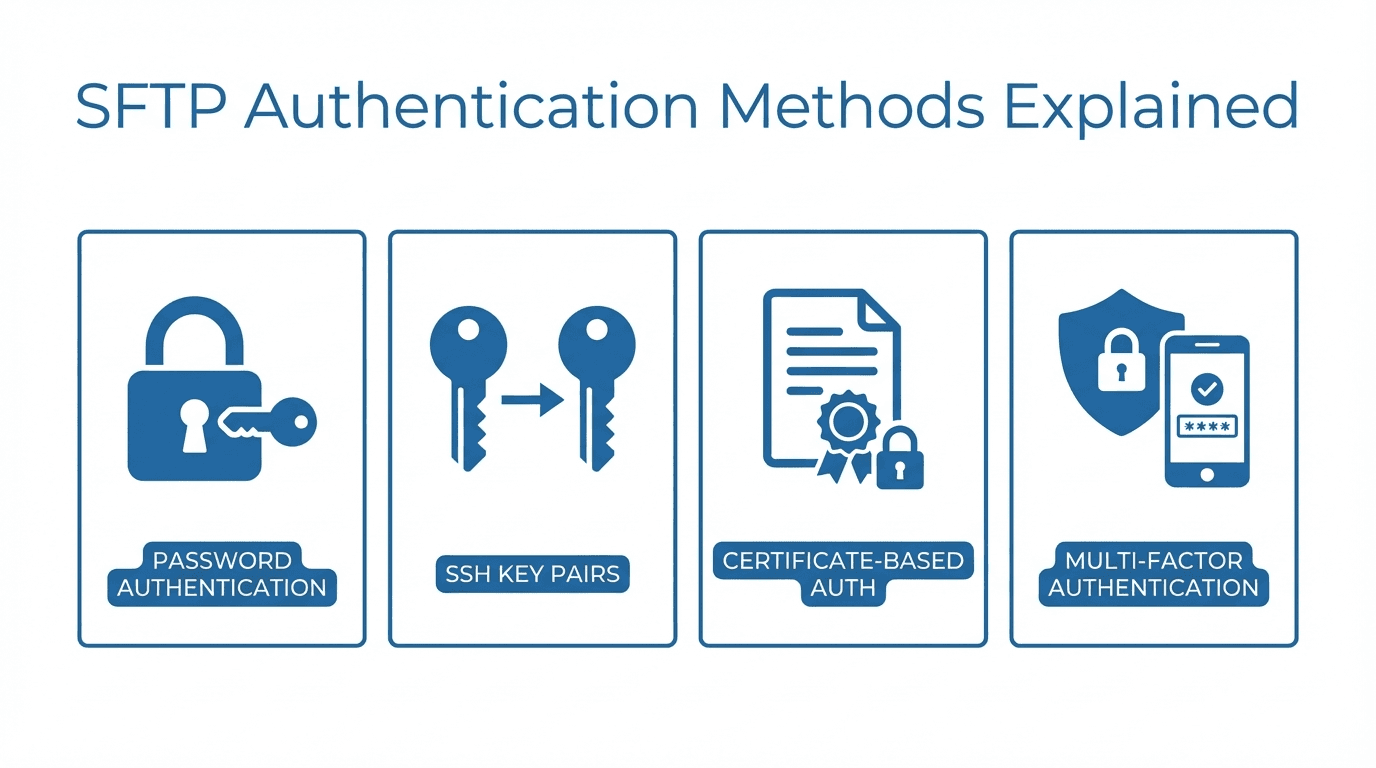
Authentication is the first line of defense for any SFTP server. It determines who can connect and how their identity is verified. Choosing the right authentication method depends on your security requirements, the technical capabilities of your users, and your compliance obligations.
Password Authentication
Password authentication is the simplest and most familiar method. The client provides a username and password, and the server verifies them against its user database.
Pros:
- Easy to set up and understand
- No client-side key management required
- Works with every SFTP client
Cons:
- Vulnerable to brute-force attacks if passwords are weak
- Passwords can be phished or leaked
- Managing password rotation across many users is tedious
- Shared accounts with shared passwords create accountability gaps
Password authentication is acceptable for low-risk environments or when combined with additional security layers. For anything involving sensitive data, stronger methods are recommended.
SSH Key Authentication
SSH key authentication uses asymmetric cryptography. The client generates a key pair consisting of a private key (kept secret) and a public key (shared with the server). During authentication, the client proves it holds the private key without ever transmitting it.
How It Works
- The client generates a key pair using a tool like
ssh-keygen - The public key is uploaded to the server and associated with a user account
- When the client connects, the server sends a challenge
- The client signs the challenge with its private key
- The server verifies the signature using the stored public key
Key Types
- RSA: The most widely supported key type. Use at least 3072-bit keys (4096-bit preferred).
- Ed25519: A modern elliptic curve algorithm. Shorter keys, faster operations, and strong security. Recommended for new deployments.
- ECDSA: Another elliptic curve option, supported by most modern clients. Less commonly recommended than Ed25519 due to implementation complexity.
Setup Basics
On the client side, generate a key pair:
ssh-keygen -t ed25519 -C "user@example.com"
Upload the public key (typically ~/.ssh/id_ed25519.pub) to the SFTP server. The exact process varies by server, but managed platforms like FilePulse let you paste public keys directly in the admin interface.
Pros:
- Resistant to brute-force and phishing attacks
- No secrets transmitted over the network
- Can be automated for unattended transfers
Cons:
- Requires client-side key management
- Lost private keys mean lost access (unless backups exist)
- Some non-technical users find key setup confusing
Multi-Factor Authentication
Multi-factor authentication (MFA) combines two or more verification methods. A common setup requires both an SSH key and a one-time password (OTP) from an authenticator app.
MFA significantly raises the bar for attackers. Even if a private key is compromised, the attacker still needs the second factor to gain access.
When to use MFA:
- High-security environments with strict compliance requirements
- Accounts with administrative privileges
- Scenarios where interactive (human) login is the norm
MFA is less practical for automated, machine-to-machine transfers where there is no human present to provide the second factor.
Certificate-Based Authentication
Certificate-based authentication uses SSH certificates signed by a trusted Certificate Authority (CA). Instead of distributing individual public keys to every server, you distribute the CA's public key once. Any certificate signed by that CA is automatically trusted.
Advantages over raw SSH keys:
- Centralized trust management through the CA
- Certificates can include expiration dates, reducing the risk of stale credentials
- Easier to revoke access by revoking the certificate rather than removing keys from every server
Drawbacks:
- Requires setting up and maintaining a CA infrastructure
- More complex initial configuration
- Not all SFTP clients support SSH certificates natively
Best Practices for Choosing an Auth Method
- Use SSH keys as the default for most SFTP deployments. They offer a strong balance of security and usability.
- Disable password authentication on servers where all users can use keys.
- Require MFA for interactive admin access to your SFTP management interface.
- Rotate keys regularly and remove keys for users who no longer need access.
- Use Ed25519 keys for new deployments unless compatibility requirements dictate otherwise.
- Consider certificates if you manage a large number of users or servers and need centralized credential management.
Looking for an SFTP server with flexible authentication built in? Get started with FilePulse and configure password or SSH key authentication from a simple dashboard. Need help with your setup? Contact us.