A question we hear often from teams onboarding with a new B2B partner: "Our files already go over SFTP, so why is the bank asking us to PGP-encrypt them before upload?" It is a fair question. SFTP is encrypted, modern, and battle-tested. Adding PGP on top can feel like belt-and-suspenders security theater.
It is not. SFTP and PGP solve different problems, and many regulated industries require both. This guide explains the threat models behind each, when layering PGP on top of SFTP is genuinely necessary, and what the workflow looks like in practice.
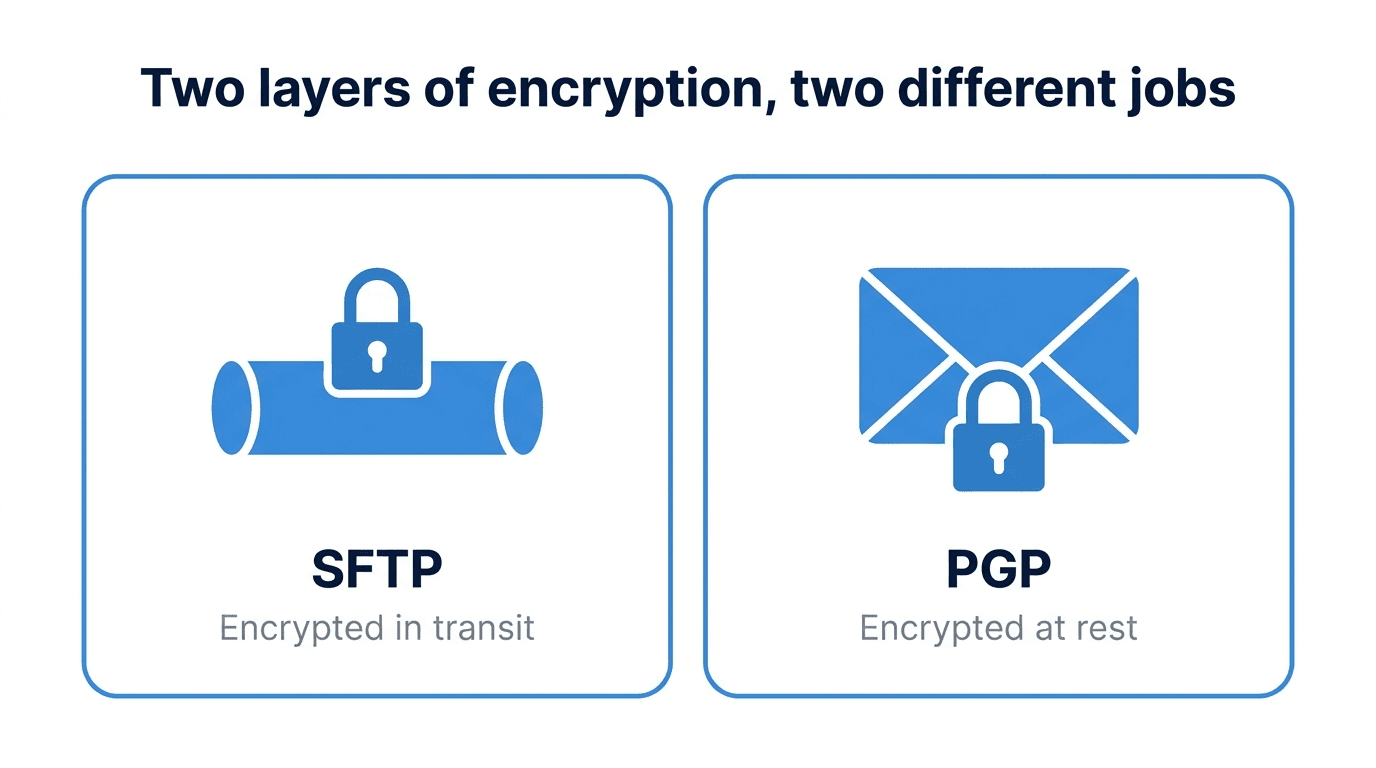
In transit vs at rest: two different threat models
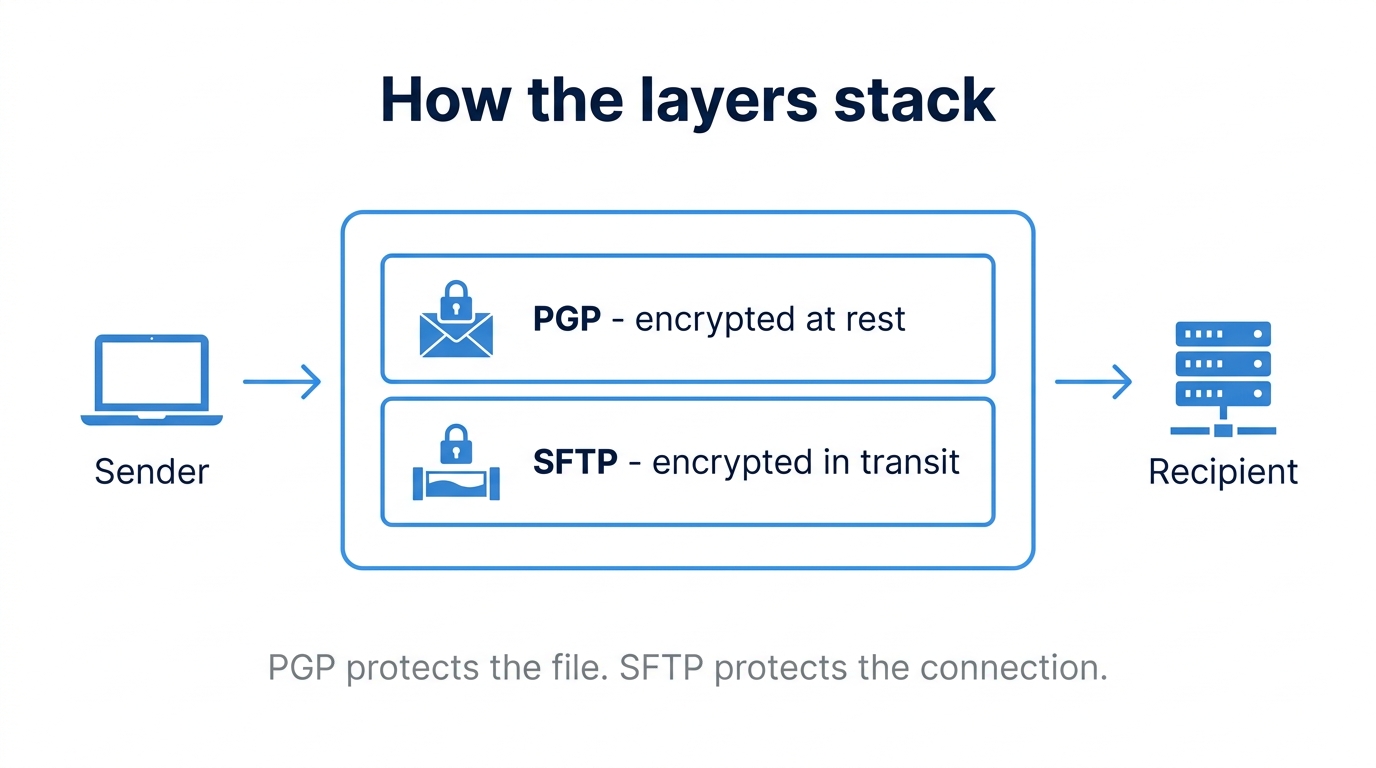
SFTP encrypts data in transit. From the moment a file leaves the client until it arrives at the server, the bytes on the wire are protected by SSH. An attacker sitting on the network sees only ciphertext.
PGP encrypts data at rest. The file itself is encrypted before it ever touches the network, and it stays encrypted on disk after the SFTP session ends. Only someone holding the recipient's private key can decrypt it.
The threats they protect against are different:
- SFTP alone protects against: network eavesdroppers, man-in-the-middle attacks, and credential interception during the transfer itself.
- PGP adds protection against: anyone with read access to the storage location after the file lands. That includes server administrators, backup systems, shared landing zones used by multiple partners, and any downstream system that touches the file before its intended recipient does.
If your file lands on a shared SFTP server and sits in a directory until a batch job picks it up an hour later, SFTP has already done its job. PGP is what keeps the file confidential during that hour.
How PGP works in 60 seconds
PGP (Pretty Good Privacy) is a public-key cryptography standard. Every party generates a keypair: a public key they share freely, and a private key they guard carefully.
To send an encrypted file:
- The sender obtains the recipient's public key.
- The sender encrypts the file using that public key. The output is a ciphertext that only the recipient's private key can unlock.
- The recipient decrypts the file with their private key.
PGP also supports signing, which is the inverse operation: the sender signs with their private key, and anyone with the sender's public key can verify the signature. Signing proves authorship and integrity but does not provide confidentiality. In practice, most B2B workflows use both, encrypting with the recipient's public key and signing with the sender's private key.
The file produced by PGP is typically ASCII-armored (a .asc or .pgp file) or binary (.gpg). Either format travels fine over SFTP.
When PGP-over-SFTP is actually required
Layering PGP on top of SFTP is the right call in several common situations:
- Partner contractual mandates - Banks, insurers, and large enterprises frequently require PGP encryption for inbound files. This is non-negotiable and usually documented in onboarding paperwork.
- Multi-hop transfers - If your file passes through intermediate systems (a managed gateway, a partner's landing zone, a relay server) before reaching its final recipient, PGP keeps it confidential across every hop.
- Shared landing zones - When multiple users or partners read from the same SFTP directory, file-level encryption ensures only the intended recipient can decrypt the contents, even if others can technically see the file.
- Regulated industries - HIPAA, PCI DSS, and GDPR do not name PGP specifically, but they require encryption of sensitive data at rest. PGP is one of the simplest ways to satisfy that control for files in motion between organizations.
- Long-lived archives - If files are stored for compliance retention, PGP keeps them encrypted on disk for the full retention window without depending on the underlying storage layer.
When it is overkill
PGP is not free. Key management, automation, and troubleshooting all add operational cost. You can usually skip it when:
- Both endpoints are inside infrastructure you fully control.
- Files are short-lived and processed immediately on arrival.
- The underlying storage is already encrypted with keys held by your organization.
- No partner contract or regulator requires it.
In those cases, well-configured SFTP with strong authentication, IP allowlists, and audit logging is usually enough.
A practical workflow
Here is what a typical PGP-over-SFTP exchange looks like end to end.
1. Generate a keypair (recipient side):
gpg --full-generate-key
Choose RSA 4096 or Ed25519, set an expiration, and protect the private key with a strong passphrase.
2. Export and share the public key:
gpg --armor --export your.email@example.com > recipient-public.asc
Send this file to the sender through a verified channel. Verify the key fingerprint out of band (a phone call, a signed email) before trusting it.
3. Sender encrypts the file:
gpg --encrypt --sign \
    --recipient your.email@example.com \
    --output payroll-2026-05.csv.gpg \
    payroll-2026-05.csv
This produces an encrypted, signed file ready to upload over SFTP.
4. Upload over SFTP as you normally would.
5. Recipient decrypts on arrival:
gpg --decrypt --output payroll-2026-05.csv payroll-2026-05.csv.gpg
In production, steps 3 and 5 are automated, typically triggered by a file-watcher or a workflow engine that picks up new files and processes them without human intervention.
Common pitfalls
A few things that bite teams when they first roll out PGP:
- Key expiry - Keys generated with an expiration date will silently stop working when they expire. Track expirations and rotate keys before they lapse.
- Lost private keys - If the recipient loses their private key, the encrypted files are unrecoverable. There is no backdoor. Backups of private keys belong in a secure vault, not on the SFTP server.
- Confusing sign with encrypt - Signing proves authorship but does not hide contents. A signed-but-not-encrypted file is still readable by anyone. Always check that you are encrypting, not just signing.
- Skipping signature verification - On the receiving side, decrypting without verifying the signature defeats half the value of PGP. Make verification a required step in your automation.
- Trusting unverified public keys - If you accept a public key over an unauthenticated channel, you have no guarantee it belongs to who you think it does. Always verify fingerprints out of band.
How FilePulse fits
Most teams do not want to script gpg commands and manage keyrings manually for every partner. FilePulse handles PGP encryption and decryption as part of its workflow engine, so files arriving over SFTP can be automatically decrypted with the right key, and outbound files can be encrypted and signed before delivery, without custom scripts. Key material is stored in a managed vault, and rotations and expirations are tracked centrally.
If your partners are starting to ask for PGP, or you are building a compliance program that calls for file-level encryption, this is one of the higher-leverage controls you can add. SFTP gets your file across the network safely. PGP keeps it confidential everywhere else.
Next step: Review which of your inbound and outbound file flows touch sensitive data and identify which would benefit from layered PGP encryption. Get started with FilePulse to automate the workflow without writing custom key-management code.