AWS Transfer Family is Amazon's managed SFTP, FTPS, and FTP service. It integrates tightly with S3 and EFS, making it a natural choice for teams already running on AWS. But as usage grows, many organizations discover that Transfer Family's pricing model leads to surprisingly high bills, and its feature set has notable gaps for common file transfer workflows.
This post breaks down what AWS Transfer Family offers, where it falls short, and why teams are switching to alternatives like FilePulse.
What Is AWS Transfer Family?
AWS Transfer Family provides managed servers for SFTP, FTPS, FTP, and AS2 protocols. Files transferred through these servers land in Amazon S3 or Amazon EFS. AWS handles the infrastructure, patching, and availability of the servers themselves.
The service supports identity providers like AWS Directory Service, custom Lambda-based authentication, and SSH key management. It integrates with CloudWatch for logging and IAM for access control.
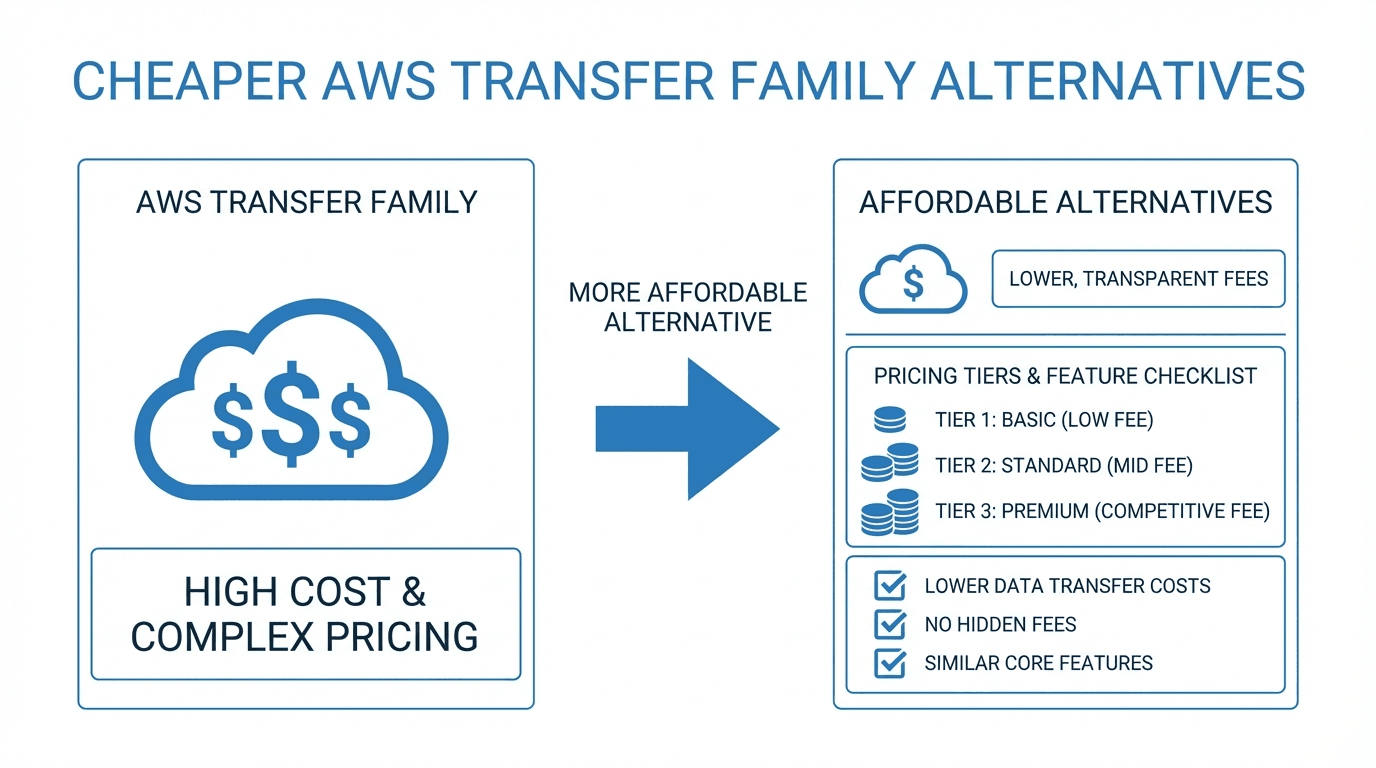
The Cost Problem
AWS Transfer Family's pricing has two main components:
- Server endpoint fee: You pay an hourly rate for each server endpoint, regardless of whether it is actively transferring files. At roughly $0.30 per hour, that adds up to over $200 per month per endpoint, even when idle.
- Data transfer fees: On top of the endpoint fee, you pay per gigabyte of data transferred through the service. Combined with standard S3 storage and request costs, the total bill can grow quickly.
For teams running multiple endpoints (for example, one per partner or one per environment), costs escalate fast. A setup with five endpoints and moderate transfer volume can easily exceed $1,500 per month before accounting for S3 costs.
What Is FilePulse?
FilePulse is a managed file transfer platform that provides SFTP endpoints, partner onboarding, storage integrations, automation, and audit logging in a single product. It is designed specifically for organizations that need to exchange files with external partners securely and reliably.
Unlike AWS Transfer Family, FilePulse is not tied to a single cloud provider. It works with AWS S3, Azure Blob Storage, Google Cloud Storage, and other storage backends.
Why Teams Switch to FilePulse
Predictable Pricing
FilePulse uses straightforward subscription pricing. You pay a fixed monthly fee based on your plan, not per endpoint or per gigabyte. This makes budgeting simple and eliminates the surprise bills that come with usage-based pricing.
Easier Partner Onboarding
With AWS Transfer Family, onboarding a new partner involves creating IAM policies, configuring S3 bucket permissions, setting up SSH keys, and potentially writing Lambda functions for custom authentication. This process requires AWS expertise and can take hours per partner.
FilePulse provides a dedicated partner management interface. You create a partner, assign credentials, and configure their storage destination in minutes. No cloud infrastructure knowledge required.
More Flexibility
AWS Transfer Family is tightly coupled to the AWS ecosystem. If your partners use Azure or GCP, or if you need to route files to non-AWS destinations, you need to build additional integration layers.
FilePulse connects to multiple cloud storage providers out of the box. You can receive files from a partner over SFTP and route them to any supported storage backend without writing custom code.
Built-In Automation
Transfer Family provides the transport layer, but automation requires additional AWS services like Lambda, Step Functions, EventBridge, and SQS. Building and maintaining these automation workflows is a significant engineering effort.
FilePulse includes automation features natively. You can set up file routing rules, transformations, and notifications without leaving the platform.
Comprehensive Audit Logging
AWS Transfer Family logs to CloudWatch, but building a complete audit trail requires configuring CloudWatch Logs, setting up log groups, and potentially piping data to a log analytics tool. The default logging captures connection events but may not include the level of detail needed for compliance reporting.
FilePulse provides built-in audit logging that captures every file transfer event with full detail: who, what, when, where, and the outcome. Logs are accessible from the dashboard and exportable for compliance purposes.
Feature Comparison
| Feature | AWS Transfer Family | FilePulse | |---|---|---| | SFTP support | Yes | Yes | | Pricing model | Per-endpoint + per-GB | Fixed subscription | | Partner onboarding | Manual (IAM, S3, SSH keys) | Built-in workflow | | Multi-cloud storage | AWS only (S3, EFS) | AWS, Azure, GCP | | Automation | Requires Lambda, Step Functions | Built-in | | Audit logging | CloudWatch (configuration needed) | Built-in dashboard | | Setup time | Hours to days | Minutes | | Vendor lock-in | AWS | Cloud-agnostic |
Making the Switch
Migrating from AWS Transfer Family to FilePulse is straightforward:
- Sign up for FilePulse and connect your storage backend (S3, Azure Blob, or GCS).
- Create partner accounts in FilePulse and configure their SFTP access.
- Update DNS records or share new SFTP endpoints with your partners.
- Verify transfers by running a parallel period where both systems are active.
- Decommission Transfer Family endpoints once all partners have migrated.
Most teams complete the migration within a few days, and the process can be done incrementally, one partner at a time.
Conclusion
AWS Transfer Family is a capable service, but its per-endpoint pricing, AWS-only storage support, and reliance on external services for automation and partner management make it expensive and complex for many use cases. FilePulse offers a simpler, more cost-effective alternative that is purpose-built for managed file transfer.
Start your free trial to see how much you can save, or contact our team for a cost comparison based on your current Transfer Family usage.